
4 built-in AI providers
Google AI Mode, Metaso, Grok, and X Search — switch with one click and your choice sticks across every new tab.
Open a new tab, type your question once, and fire it at Google AI, Metaso, Grok, X — or any provider you wire in yourself. Arrow-key search history, daily backgrounds, no telemetry.
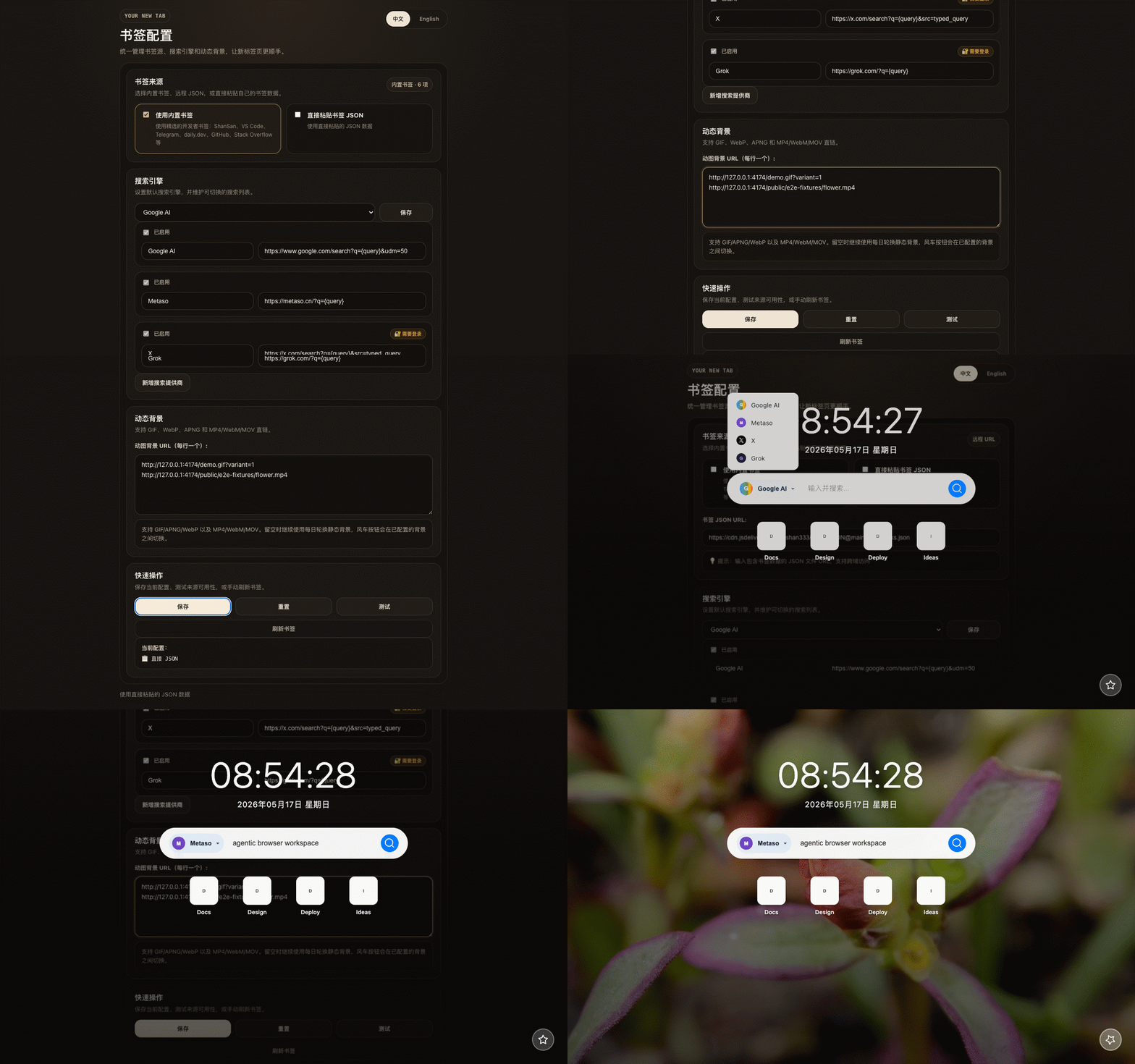
Turn the new tab page into the sharpest AI entry point you have — not yet another start page you click through.
Google AI Mode, Metaso, Grok, and X Search — switch with one click and your choice sticks across every new tab.
Paste any URL with a {query} placeholder in the popup; pick an icon and slot it into your provider list. Reorder freely.
ArrowUp/ArrowDown cycles your last 20 queries. Type a prefix first and history filters case-insensitively to matches.
Daily-rotating images from Unsplash and Picsum, with optional GIF / WebP / MP4 URLs of your own cycled by the windmill button.
Maintain bookmarks as JSON in the popup: remote URL, local-only, or paste mode. Live-syncs across tabs without broadcast.
No tabs permission. No content script. No telemetry. Config lives in localStorage; third-party requests go straight from your browser.
No. History stays in your browser’s localStorage. The author runs no server that receives it. Uninstall the extension or clear browser data to remove it completely.
Yes — open the popup → Search providers → Add, paste a URL like https://example.com/search?q={query}, pick an icon. The {query} placeholder is replaced with your query at search time.
To keep the permission surface minimal. The extension only owns the new tab page itself — it never reads your other tabs, so it doesn’t request the permission that would let it.
Default backgrounds come from Unsplash and Picsum’s public endpoints, rotated daily and cached locally. You can also configure your own animated URLs, cycled by the windmill button.
Chromium-based browsers (Chrome / Edge / Arc / Brave) via the Chrome Web Store; Firefox via add-ons store or sideloaded zip.
Privacy should be the default, not the upsell. The condensed summary below mirrors PRIVACY.md in the repo.
Search history, cached bookmarks, provider settings, animated background list, and language preference all live in your browser’s localStorage.
The extension itself never contacts an author-owned server. Background images are fetched directly from Unsplash / Picsum to sidestep CORS.
Pressing Enter opens the selected provider’s URL in a new tab. The extension does not log, forward, or proxy your query.
Remote bookmark JSON and background URLs are treated as data only. They are never executed as scripts.